Building an Interactive Website with Three.js
Interactive Website: Particle Field and 3D Justice Scale
I recently redesigned my sister’s lawyer website Website. I used AI for much of the implementation. However, I learned some interesting stuff. This is one of them.
Particle Field Effect
When I was studying in university, I used to check one of my professor’s AVESIS website everyday. If you don’t know, AVESIS is a platform that enables universities to consolidate and manage their academic activities. The AVESIS website uses interactive particle field effect. When I opened the browser, the particle field effect was very nice. That is random sliding points and when pointing the cursor, the points connected each other with cursor’s point.
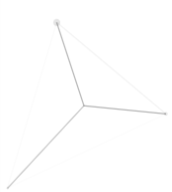
Collision and Reflection:
For creating floating background points and responsing cursor’s position, I used HTML5 Canvas API. Every frame, the distances between particles are calculated.
// Adding velocity vector to particle's position
p.x += p.vx;
p.y += p.vy;
// Reversing the velocity vector when the particle hits the screen boundary
if (p.x < 0 || p.x > width) p.vx *= -1;
if (p.y < 0 || p.y > height) p.vy *= -1;
Euclidean Distance:
If two particles get closer or cursor get closer to a particle, they connected each other with a line. Using Math.hypot for calculating distances of two points.
// Calculating the distance between two particles
const d = Math.hypot(a.x - b.x, a.y - b.y);

// Drawing lines between particles if the distance is below the threshold
if (d < linkDist) {
  // The opacity of the line increases as the particles get closer
  const opacity = 0.06 * (1 - d / linkDist);
  ctx.strokeStyle = `rgba(120,32,42,${opacity})`;

  ctx.beginPath();
  ctx.moveTo(a.x, a.y);
  ctx.lineTo(b.x, b.y);
  ctx.stroke();
}
Three.js Justice Scale Model
After interactive particle field effect, I want to add fancy 3D models to website. I decided to use Three.js for creating 3D objects. I created a justice scale model with GPT-6 Astra.
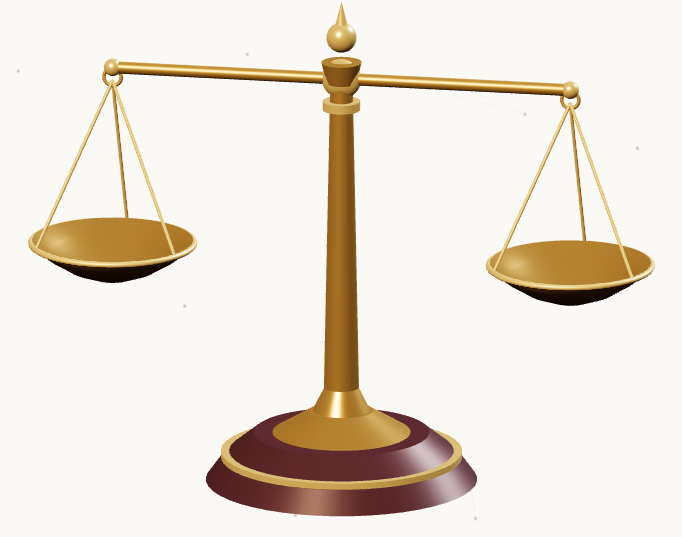
But, static justice scale is not interesting enough. So, I decided to use physics simulation for it. In web, I want to add cursor interaction to the 3d model. If main arm of scale is moving, left and right plate should move parallel to the ground. This means, calculating distance, rotation angle and position of main arm is mandatory. For simulating, I choose Box2dPhysics.js.
Calculating scale weight position:
Using simple trigonometry for calculating positions of plates.
function applyPose() {
  // rotate the beam
  beamPivot.rotation.z = currentTilt;

  // Calculate new positions
  const x = Math.cos(currentTilt) * armLength;
  const y = Math.sin(currentTilt) * armLength;

  // set new positions of the plates
  leftPan.position.set(-x, pivotY - y, 0);
  rightPan.position.set(x, pivotY + y, 0);

  // set rotation of the plates to 0
  leftPan.rotation.set(0, 0, 0);
  rightPan.rotation.set(0, 0, 0);

}
Interpolation for smoothing:
I used exponential decay for sensing weight and natural movement.
// dt: delta time
// targetTilt: target angle according to mouse position
const smoothing = 1 - Math.exp(-11 * dt);
// Approaching the current angle to the target angle smoothly
currentTilt += (targetTilt - currentTilt) * smoothing;
Conclusion
Complex looking animations do not always require complex solutions. In modern web interface, basic mathematical concepts can be surprisingly effective for creating complex animations. It just needs to understand physics and apply it properly.